LookyHere
A shoebox for the small stuff you were sure you'd remember.
Free · iPhone · iPad · iOS 27 or later
Toss in a note, a photo, or a reminder. LookyHere files it without a system to maintain, brings it back when it matters, and searches the words inside your photos too. Your pages stay as plain Markdown files in your own iCloud Drive or on the device.
What goes in the shoebox
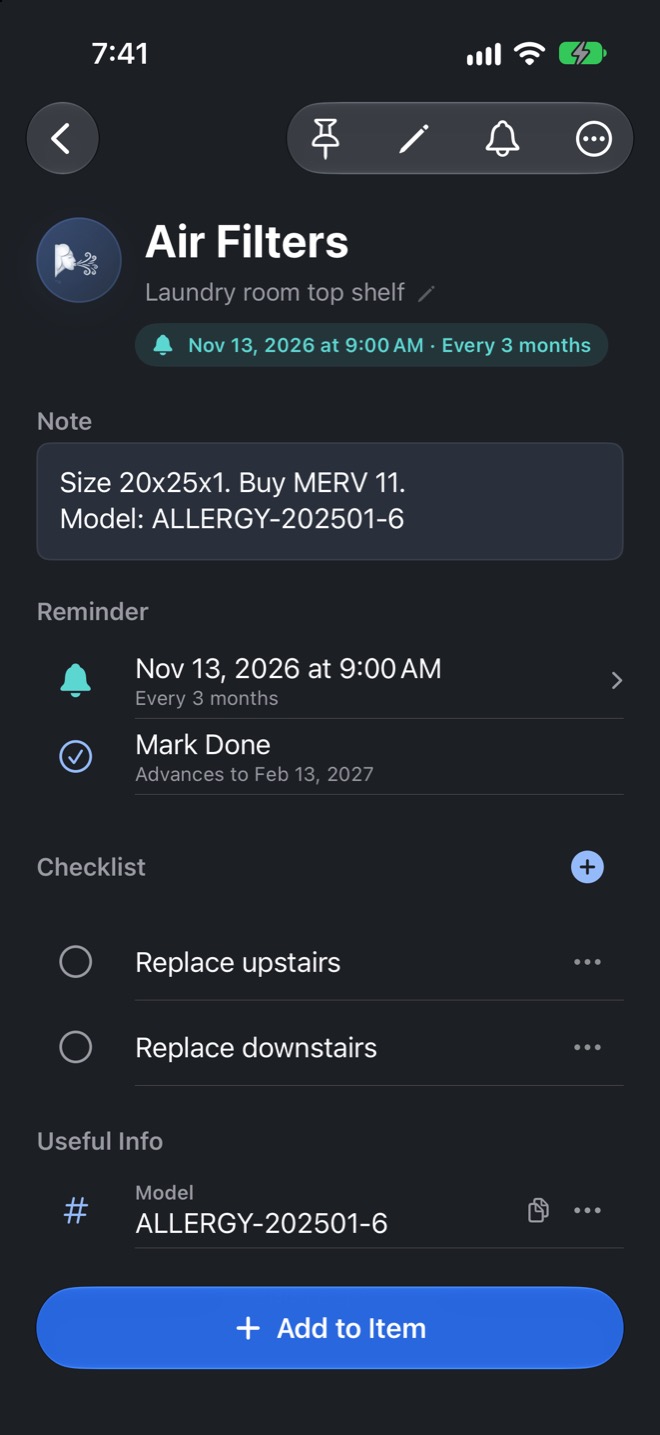
- Items Where the lightbulbs are, when the filters need changing, who borrowed the drill, or the car insurance that renews in March. Half-formed ideas land here too. Add a checklist, photos, reminders, and model numbers.
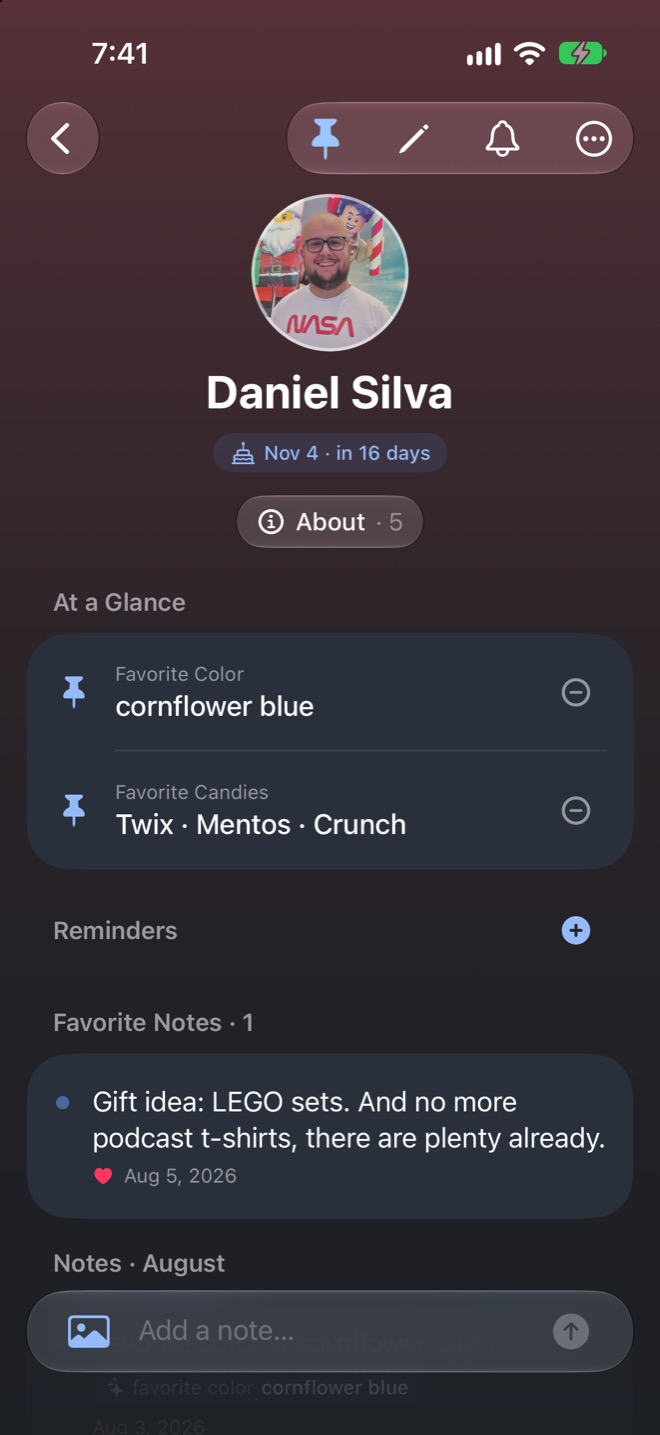
- People Gift ideas, favorite colors, shoe sizes, and the book they keep recommending. Link a contact, pin useful details, and keep more than one reminder.
- Places The coffee shop, the bar, the hotel room trick, or the city list you want back two years later. Saved spots know how far away they are, so you can ask what is near you.
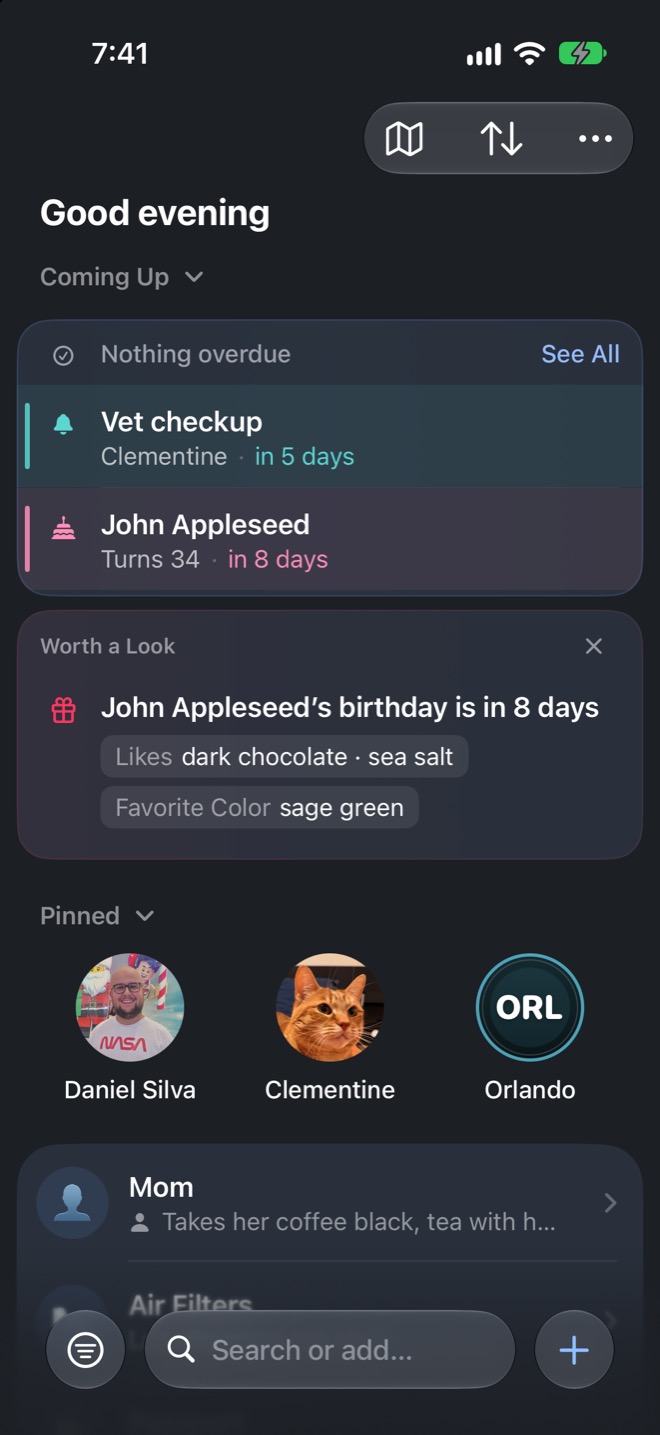
- Pets The vet's number, microchip ID, food, medication, and the boarding place that worked out. Appointments surface on the home screen before they happen.
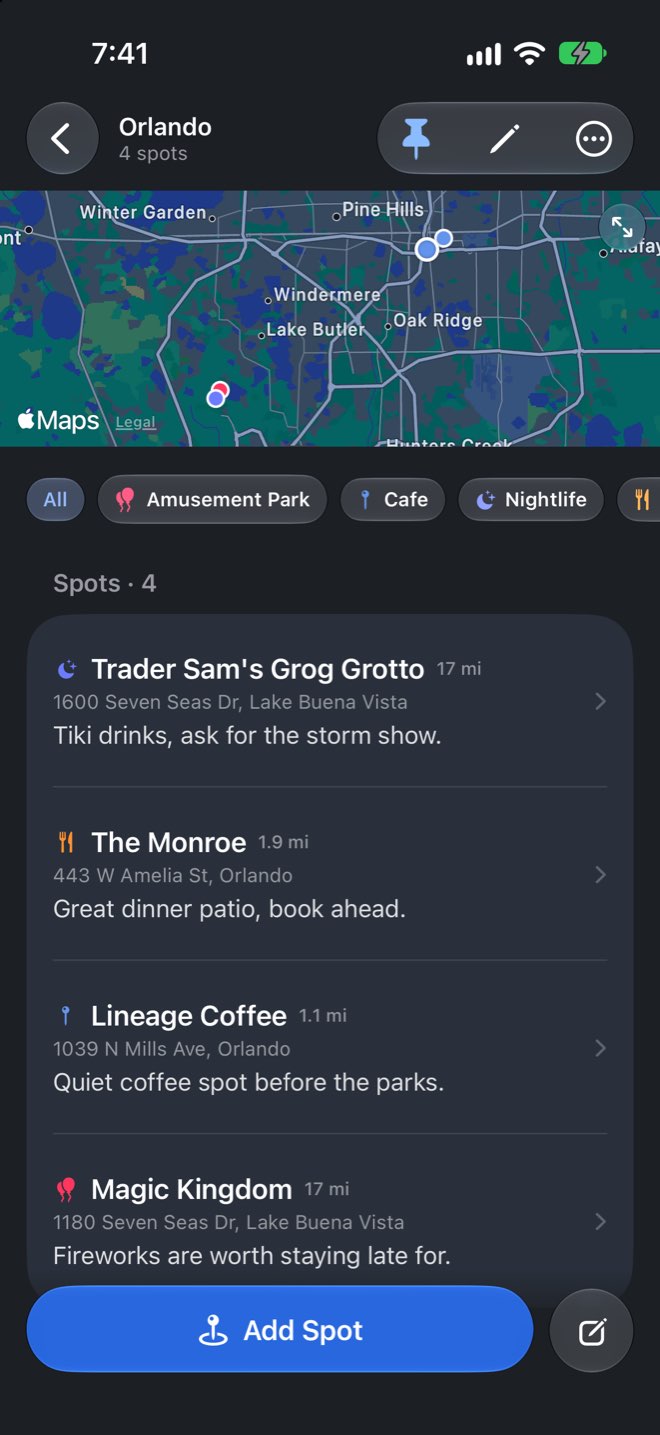
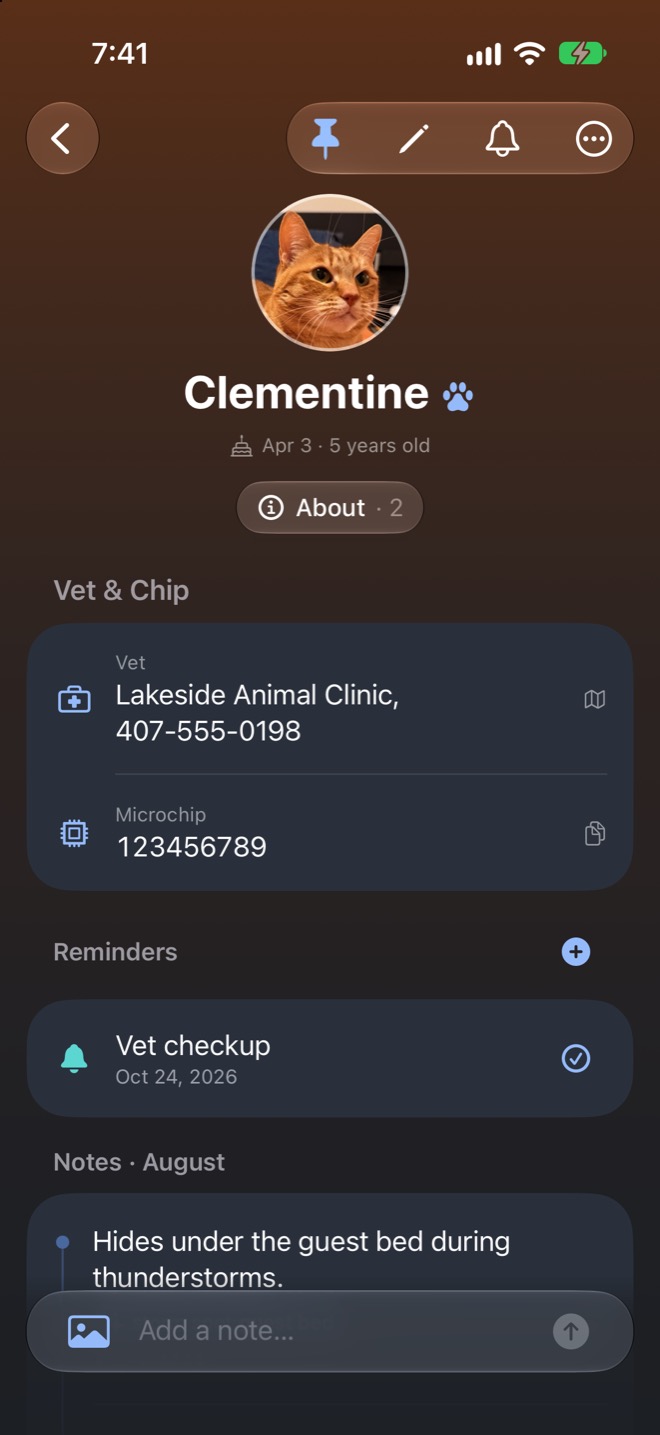
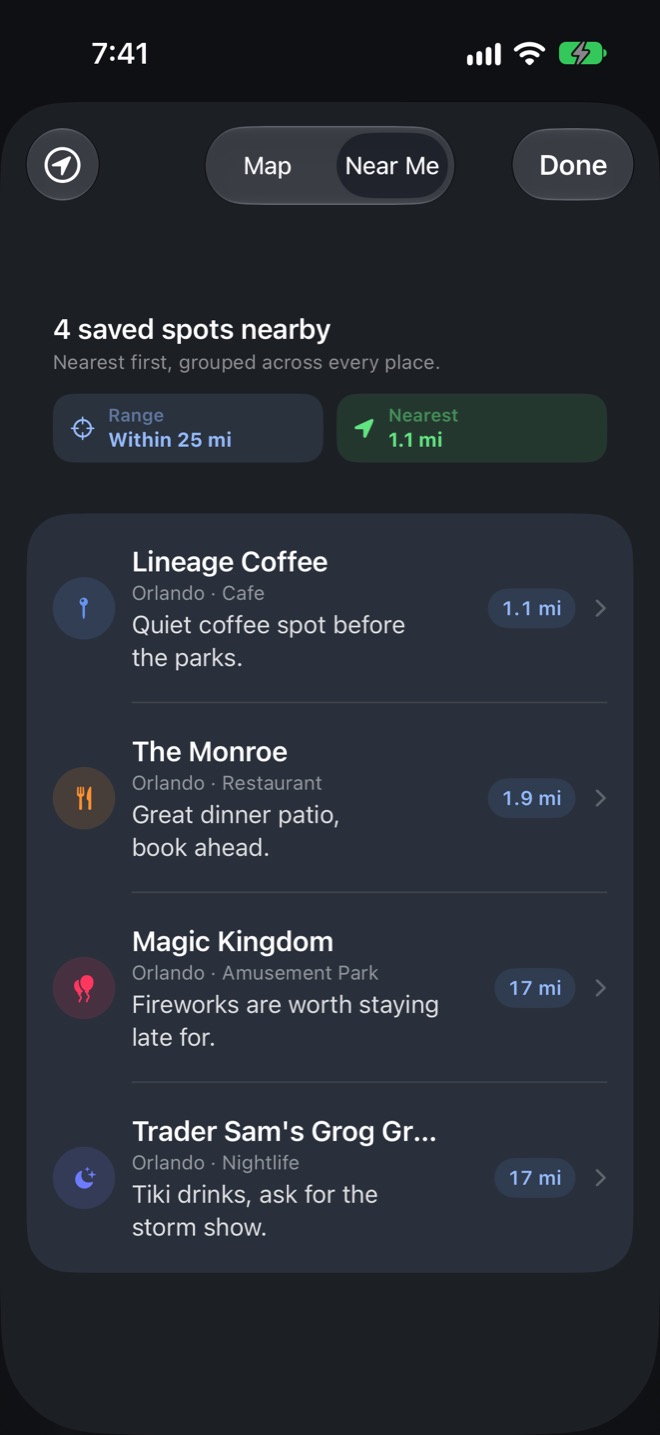
In and out with no ceremony
- Toss it in Type "air filters are in the laundry room" and it makes the page and fills in the location. You can also share text or screenshots, scan a label, or tell Siri.
- Forget about it There are no folders to tend and no system to feed. Birthdays, warranties, and borrowed things return on the home screen or in a widget when they matter.
- Dig it up Search finds notes and words inside photos. Ask a question and the answer is quoted from your own pages, or sort and filter the whole shoebox when you do not know what to search.
Siri and AI, with boundaries
LookyHere uses iOS 27's new Siri integration, but Siri is optional. Ask "where do I keep the spare lightbulbs?" or "what's Amy's favorite color?" in whatever words come naturally.
Inside the app, Apple's on-device models handle small jobs such as filing a quick note, pulling useful facts from text, suggesting an emoji, and making photos searchable. Your notes and photos do not leave the device for that processing.
I do not want your data. No account, no server of mine, and one switch in Settings turns all of the intelligence off. Your notes, reminders, search, Markdown files, and backups keep working.
These features need a device and language that support Apple Intelligence. Siri is Apple's service rather than mine. Everything else still works without them, and the privacy policy has the specifics.
You are not locked in
This was the one hard requirement. LookyHere doesn't hold your notes hostage in a database you can't open. Every page is a plain Markdown file, with the photos sitting right next to it: in your iCloud Drive when iCloud Drive is turned on for LookyHere, on the device when it isn't. Either way the app only gets its own folder; it can't see the rest of your iCloud Drive.
Open the folder in Files, Obsidian, Bear, iA Writer, Notes, or anything else that reads Markdown. If LookyHere vanishes tomorrow, you still have everything. One tap also zips the whole shoebox into a backup, and automatic backups can run daily, weekly, or monthly.
See how LookyHere stores and backs up your pages
LookyHere/
    Pages/
      People/
        John-Appleseed-3f9c1a2b/  *
          John-Appleseed-3f9c1a2b.md
      Pets/
        Hopper-a12b34cd/
      Places/
        Orlando-7e21ab12/
      Items/
        Spare-Lightbulbs-b8d4e5f6/
* The eight characters are the front of that page's unique ID, so two pages with the same name never fight over a folder.
Backups sit beside your pages and include everything you wrote. You can browse one and bring a single page back as a separate copy, or merge the whole backup. A merge keeps the newest version of what you already have and puts back anything missing, including pages you deleted after that backup was made. It won't roll an edited note back to an older version.
Why I made this
My memory is not the best. I know I bought spare lightbulbs, and I know I put them somewhere in the house, but I have not seen them since. Same with the thing a friend mentioned six months ago, the gift idea my partner dropped in passing, or the bar I liked on a trip and cannot name anymore.
Notes and Reminders have been fine, but things disappear into piles I never open again, and I didn't want a system I had to keep feeding forever. Then I heard ATP #697, where the phrase squirrel list clicked: the small stuff you stash somewhere and dig up later. That's the goal here: ask a plain question and get the answer from your own notes.
Try it
LookyHere is free on the App Store. Start with a few things you usually forget, leave it alone for a while, and see whether it gives them back when you need them. If something is off, or you have an idea, email me.